12-09-2026
10 Critical Signs Your WordPress Site Is Hacked in 2026 (And What to Do About It)
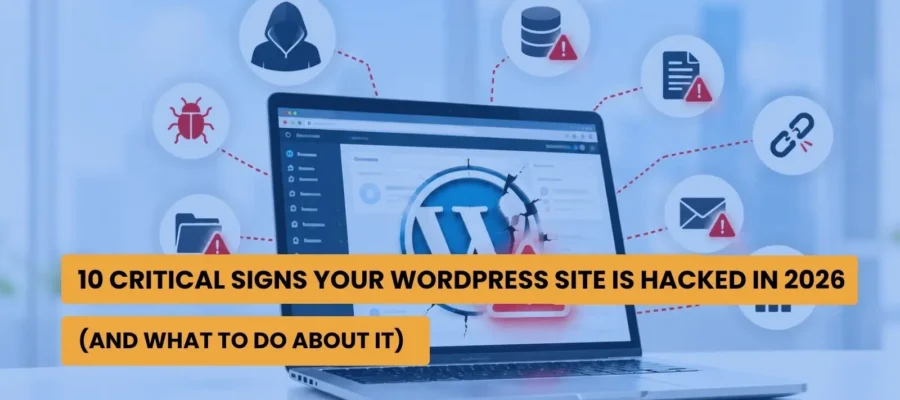
Around 13,000 WordPress sites get hacked every single day. The gap between a vulnerability going public and someone actually exploiting it is now down to roughly five hours. Standard hosting security catches a minority of what’s thrown at it.
None of that is meant to scare anyone. It’s just the current state of an ecosystem that runs a huge chunk of the internet and gets targeted at industrial scale because of it.
Here’s the part that actually matters for a business owner, though. Most hacks aren’t dramatic. No red screen, no defaced homepage screaming that something’s wrong. The site keeps loading, traffic keeps arriving, everything looks normal. Meanwhile something underneath is quietly redirecting a fraction of your visitors, harvesting form data, or slowly building a network of spam pages that Google will eventually notice, usually before you do.
Checking Your Own Users List Sounds Obvious. Almost Nobody Does It.
Go to Users in your WordPress dashboard right now. Is there an account there you don’t recognise? Especially one with Administrator access?
This is one of the clearest, most reliable signs something’s wrong, and it’s also the check that gets skipped constantly because nobody thinks to look until something else forces them to.
Google Telling You Directly
If Search Console shows a manual action or a security issue notice, that’s not a suggestion. Google doesn’t flag sites casually, and every day a flagged site stays live, more of your search visibility quietly erodes underneath you.
Visitors Landing Somewhere They Didn’t Ask For
Someone clicks your homepage link and ends up on a completely unrelated site, often something built to look legitimate enough to fool people for a second. This one’s sneaky because it frequently doesn’t happen when you check the site yourself. The redirect fires based on specific visitor conditions, device, location, referrer, rather than firing for everyone including you.
The Traffic Just Drops, and Nothing Obvious Explains It
If your organic traffic falls off a cliff and you haven’t changed anything, check whether Google has quietly deindexed pages or flagged the domain entirely. For a lot of site owners, this is genuinely the first sign they notice, because nobody’s watching Search Console daily.
Files That Weren’t There Last Week
Unfamiliar PHP files sitting in your plugin or theme directories, especially ones with long, garbled, obfuscated-looking names, are a strong tell that a backdoor’s been planted. A proper file integrity check flagging anything outside your team’s own deployments is one of the more reliable early warnings available, and it’s also one of the least commonly run.
Everything Just Feels Slower
Not every slowdown is a hack. But malware and spam scripts running in the background consume real server resources, and a sudden, unexplained change in speed or occasional downtime is worth investigating properly rather than shrugging off as a bad hosting day.
Your Host Emails You About Spam You Didn’t Send
If your hosting provider flags unusually high outgoing mail volume, your server is very likely being used to send spam. This is one of the more common things a compromised WordPress install ends up doing, quietly, in the background.
Google Shows Pages You Never Wrote
This one’s specific enough to have a name, the Japanese keyword hack. Search results start showing pages in a completely different language, or on topics that have nothing to do with your site, that you never published. By the time this shows up in search results, the infection has usually been sitting there for a while already.
A Plugin Appears That Nobody On Your Team Installed
Straightforward. Anything in your plugin list your team didn’t add is a direct red flag, and often it’s the entry point itself.
The Big Red Warning Screen, on Your Own Site
Browsers occasionally throw up a blacklist warning before letting someone through to a site. If that’s happening on your own domain, the infection is confirmed and it’s public. Every single visitor who sees that warning before you fix it is a lost customer and a small hit to trust that doesn’t fully go away.
Why Catching It Fast Matters More Than People Think
Something’s changed in how this malware behaves. A lot of it now is built specifically to dodge detection rather than announce itself. Cloaking techniques serve a clean version of the page to security scanners while quietly redirecting actual human visitors to phishing pages instead. Which means a scan can come back completely clean while real customers are being sent somewhere they absolutely shouldn’t be. The gap between “the scanner says we’re fine” and “we’re actually fine” has gotten wider, not narrower.
This is also exactly why so many “cleaned” sites get reinfected. Attackers plant a backdoor that survives the obvious cleanup, delete the suspicious plugin, remove the strange admin account, job done, except it isn’t, because the actual door they came through is still open. They come back in weeks later through the same route.
Most site owners have never thought about a recovery plan until they suddenly need one. Which means they’re improvising the entire process for the first time while the situation is actively getting worse. That’s exactly the condition under which people make it worse by accident.
What Actually Fixing It Looks Like
Get the site offline or into maintenance mode straight away. Stops the bleeding while everything else happens.
Change every single credential connected to the site. WordPress admin, hosting login, database, FTP, anything connected. If one thing was compromised, assume everything was until you’ve proven otherwise.
Scan properly. Full file system, full database, not just a glance at the plugin folder. Check core files against known-good versions. Look at the database for injected content. Hunt specifically for the kind of hidden backdoor that survives a lazy cleanup.
Find the actual way in and close it. This is the step almost every DIY cleanup skips, and it’s the single biggest reason infections come back within days.
Restore from a backup you can actually verify predates the infection. A backup taken after the compromise just brings the problem back with you.
Update everything. Core, plugins, themes, all of it. Outdated software with known holes is how most of this starts, and leaving anything unpatched afterwards is basically leaving the door unlocked again.
Once it’s genuinely clean, request a review through Google Search Console if the site was flagged. This step gets forgotten constantly, and it’s the actual thing that restores your search visibility rather than just fixing the technical mess.
Why This Is Worth Taking Seriously Before It Happens
Ongoing maintenance, regular updates, monitoring, a proper security layer, none of it is expensive compared to what a real cleanup costs once you factor in the SEO recovery, the lost revenue during downtime, and the actual remediation work. Most WordPress professionals who’ve been through this say the real cost isn’t even the money. It’s the time. The emergency calls, the late nights, the weeks spent rebuilding trust with customers and with Google afterward.
For a business in Qatar, where the website is often the very first thing a prospective client checks before they ever pick up the phone, a site that Google has flagged or one quietly redirecting visitors to a scam page isn’t some background technical annoyance. It’s actively working against the thing that’s supposed to be bringing business in.
Bragyst provides web development services in Doha that include ongoing WordPress maintenance, security monitoring, and incident response, so you’re not finding out about a compromise from a customer complaint or a Google warning email. As a digital marketing agency in Qatar, we also handle the SEO side of recovery afterward, because cleaning up the malware and undoing the damage to your rankings are genuinely two separate jobs, and both need doing properly.
If it’s been a while since your site had a real security review, or you’re honestly not sure when it was last backed up, that uncertainty is worth resolving now rather than during an actual emergency.
Blogs
Zero-Click Search: Strategies for Getting Visibility When Clicks Are Declining

Organic vs Paid Marketing: Which Is Better for Your Business in 2026?

AI Content vs Human Content: What Ranks Better in 2026?

5 Common Mistakes to Avoid Before Buying a Domain